
Download Copper Goose Network Monitor
Windows 10 or 11. Install just for you (no admin rights needed) or for all users during setup.
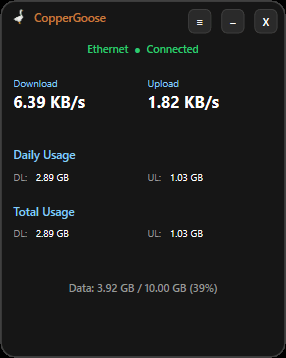
Current version 3.19.17 · What’s new
Next: try it free for 14 days
Install and run Copper Goose Network Monitor, then click “Start free trial”. No key and no card needed. When you’re ready to keep it, click “Buy” at the bottom of the app: it takes you straight to checkout with your PC’s code already filled in.
The $14 license is a one-time purchase with a 7-day money-back guarantee — if it doesn’t help, email support@coppergoosetech.com within 7 days for a full refund.
For the best experience:
Turn on Location for desktop apps
Settings → Privacy & security → Location. Switch on Location services at the top, then switch on “Let desktop apps access your location” further down. The weak Wi-Fi warning works without this — Copper Goose reads the same signal bars Windows shows in the tray, which need no permission. Turning Location on adds your exact signal percentage to the warning.
On a phone hotspot or tether, mark the connection “Metered”
Settings → Network & internet → Wi-Fi → [your hotspot] → Metered connection → On. This tells Copper Goose the link is a hotspot (mobile network).
The above is optional — Copper Goose works fine without these. They just sharpen the Wi-Fi and hotspot warnings.